The Platform

A structured foundation for connected products.

ROSA is a modular software architecture built around one principle: your application code should never depend on infrastructure code. Modules, generated interfaces, and a configuration-driven toolchain that keeps your product clean as your hardware portfolio grows.

Talk to us How it works
ROSA Platform

The model

Three components. One coherent system.

A ROSA system is built from Modules that communicate through generated interfaces. Composer configures and generates everything. Interconnect connects everything. Atelier gives you the toolchain to build, test, and validate it.

ROSA Composer

Configure once. Generate everything.

Describe your system in a single CUE configuration file. Composer generates C++ headers, sources, CMake build scripts, and Kconfig symbols. You write architecture and business logic. Composer writes everything else.

ROSA Interconnect

Stable interfaces across changing hardware.

Modules never reference each other directly. All communication goes through Interconnect's generated interfaces. Swap hardware, change transport, add variants. Your application code doesn't move.

ROSA Atelier

From HIL to CI, included.

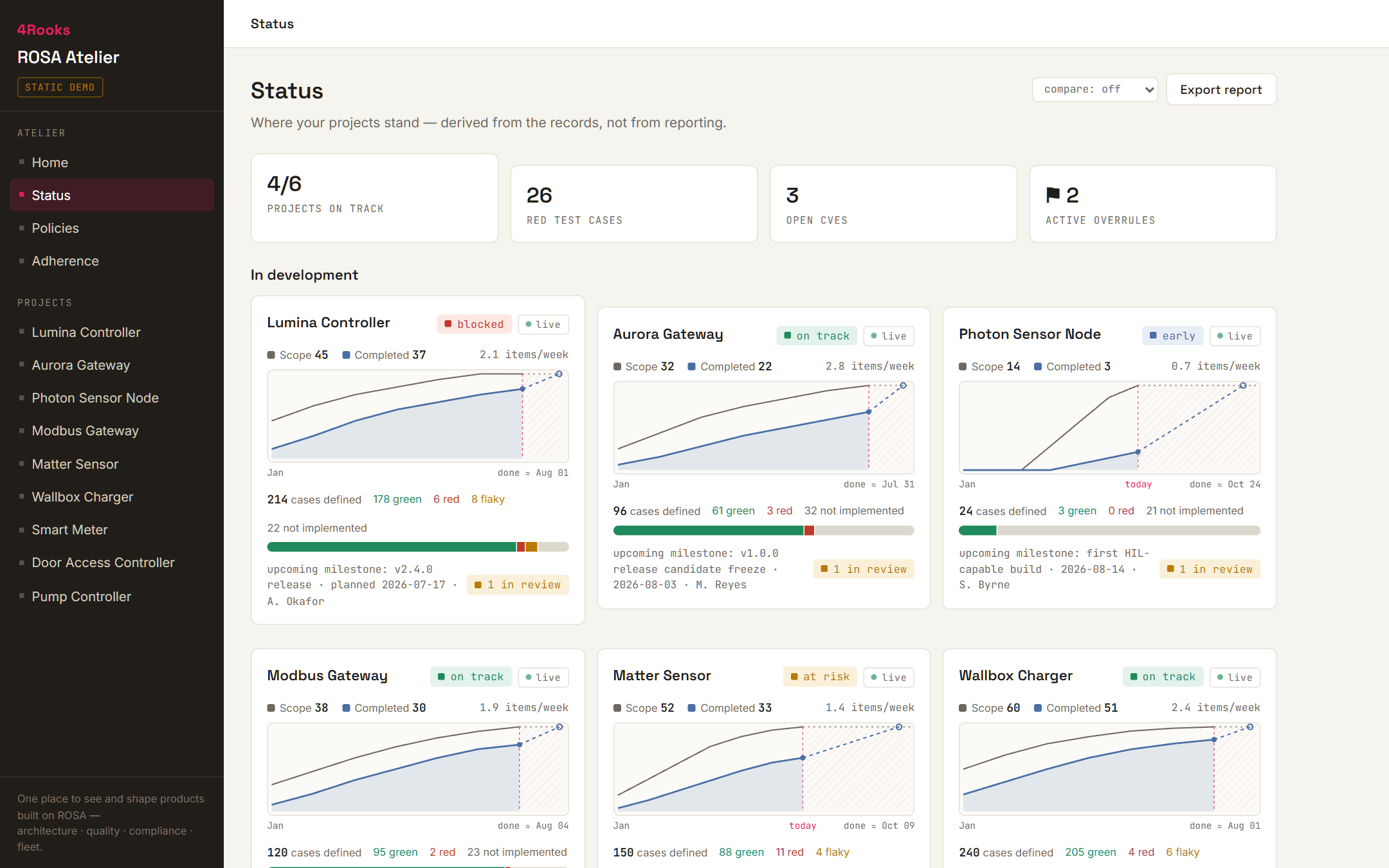
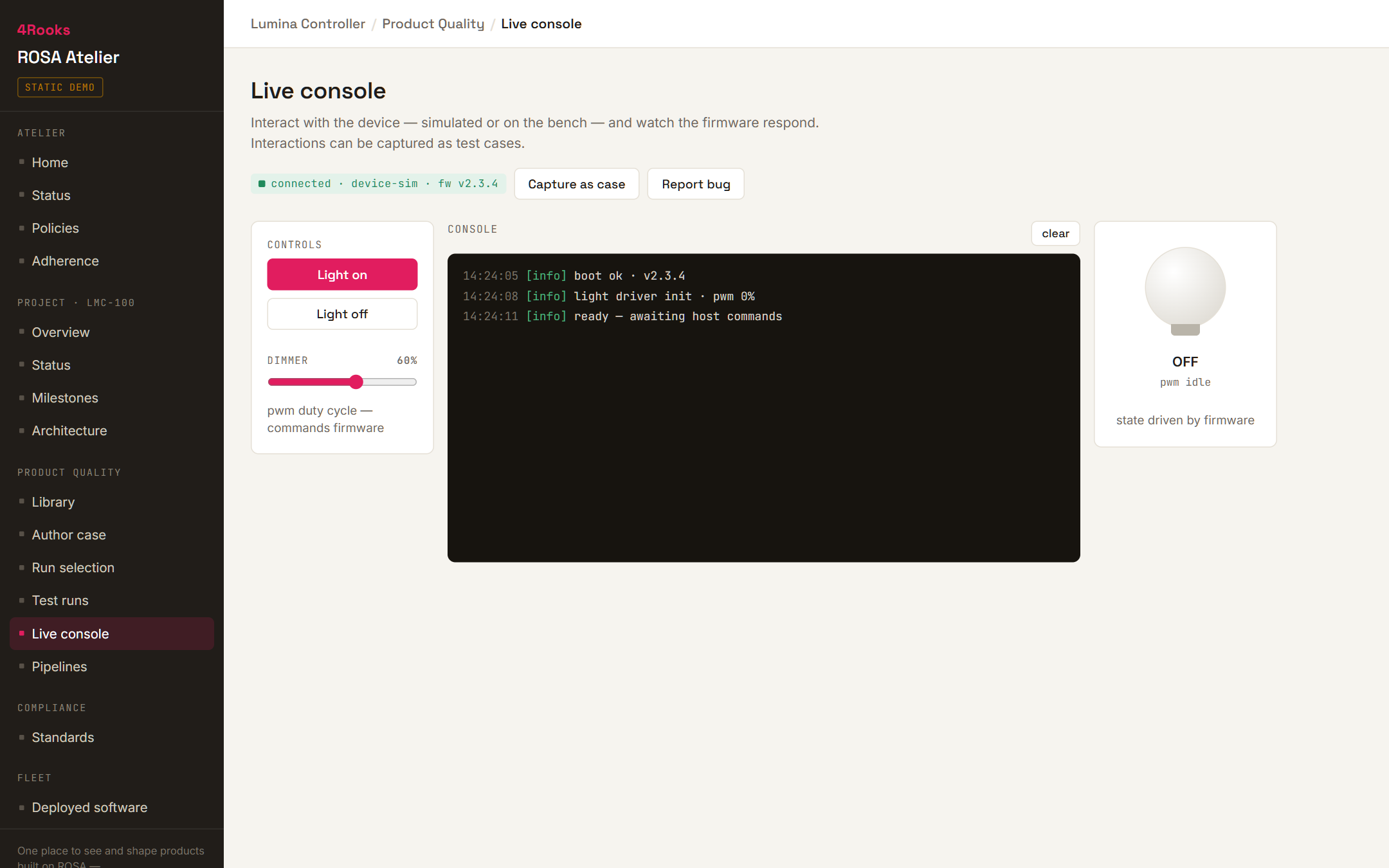
Hardware-in-the-loop testing, automated architecture validation at build time, AI integration, and built-in observability. A complete development workflow, not just a runtime.

ROSA Composer

Your system in one file. Everything else, generated.

Composer is the configuration-driven code generator at the heart of ROSA. You configure what you want. Composer builds it.

The system configuration lives in a single CUE file. It defines your hardware target, the modules that make up your application, and how they communicate. CUE is type-safe — configuration errors are caught at translation time, before your compiler sees the code.

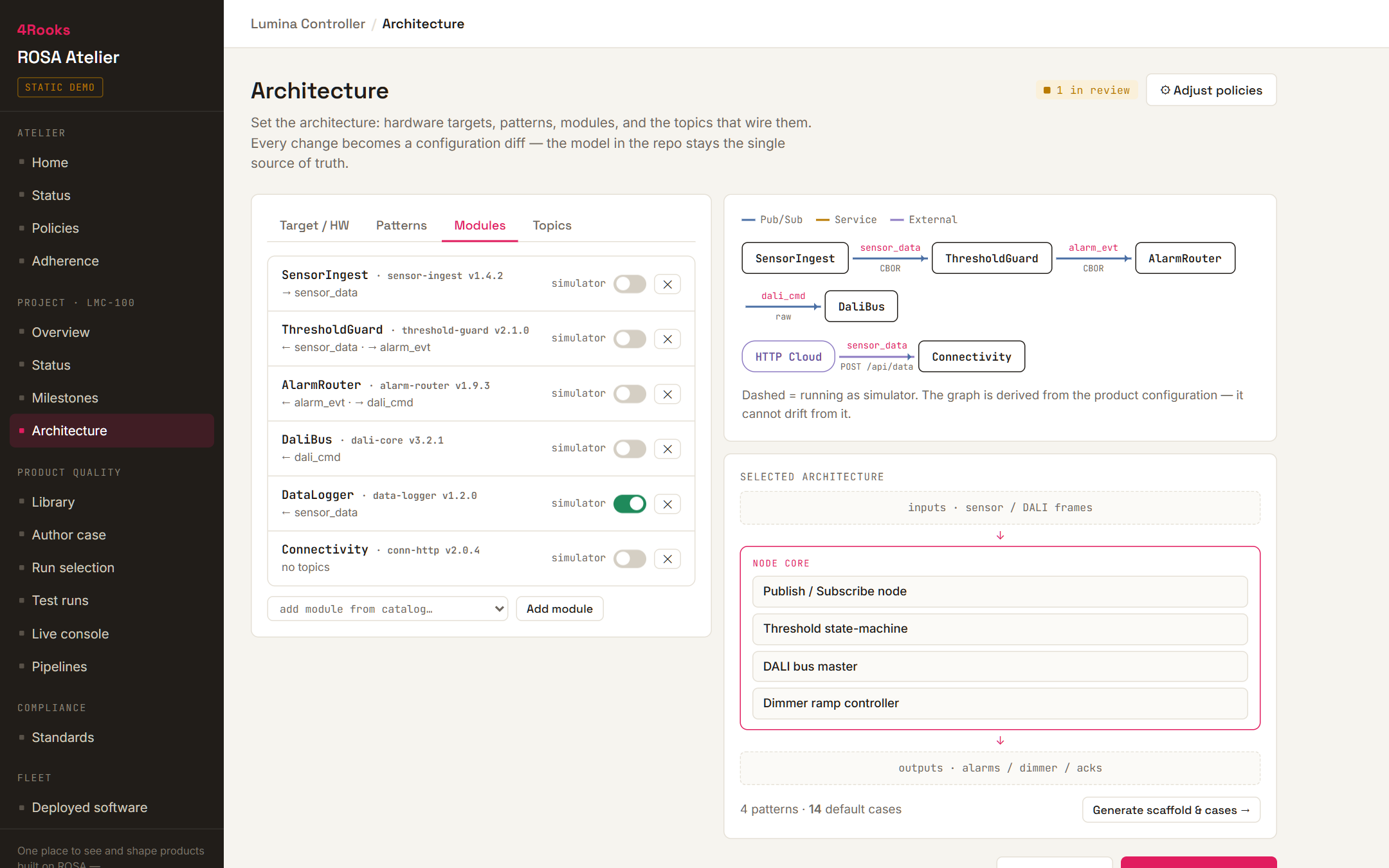
Composer also provides a GUI that gives you a live architectural overview of your system as you configure it — modules, their connections, and data flow laid out visually. From that configuration, Composer generates the complete infrastructure: C++ headers and sources for every module interface, CMake build scripts, and Kconfig symbols. Generated code stays in sync automatically whenever your configuration changes.

The result is a clean separation of concerns. Infrastructure code is generated and never touched by hand. Your team works only in two places: the configuration and the business logic.

You define

  • Hardware target and board configuration
  • Application and Core Modules
  • Communication topology and data flow
  • Module execution model (shared or dedicated thread)

Composer generates

  • C++ headers and sources for all module interfaces
  • CMake build scripts and Kconfig symbols
  • All Interconnect communication infrastructure
  • System initialisation and lifecycle management

ROSA Interconnect

Modules that never know about each other.

The core architectural rule of ROSA: no Module holds a direct reference to another Module. All communication goes through Interconnect's generated interfaces. This is enforced by architecture, not convention.

Topics

Topics define which Modules participate in a specific communication. Interfaces can only exchange data with other interfaces on the same Topic. Producers and consumers are decoupled by design.

Access Patterns

Choose the communication paradigm for each Topic. Publisher/Subscriber for event-driven data flow. Request/Response for service calls. Changing the Access Pattern requires explicit intent.

Transports

Transports define how data moves between Modules. Thread-safe queues by default. UART transport for cross-device communication. You can change the Transport without touching a line of application code.

Because Interconnect interfaces are generated from your configuration, your application code binds to a stable interface rather than an implementation. When hardware changes, the transport changes. The interface does not.

Modules

What you write. What we provide.

A ROSA system is composed entirely of Modules. Some you write. Most of the hard ones we provide.

Application Modules

Your business logic, nothing else.

Application Modules are how you add product functionality to a ROSA system. Composer generates a structured base class for each Module: lifecycle hooks, Interconnect interfaces, and thread management already in place. Your team fills in the product logic within that structure.

  • Lifecycle hooks: pre-interconnect setup, post-interconnect init, periodic run
  • Or entirely event-driven, reacting only to Interconnect messages
  • Shared thread by default. Dedicated thread per module via configuration, no code changes.
  • Isolated by design. Builds into a reusable library across your product portfolio.

Core Modules

The hard parts, already built.

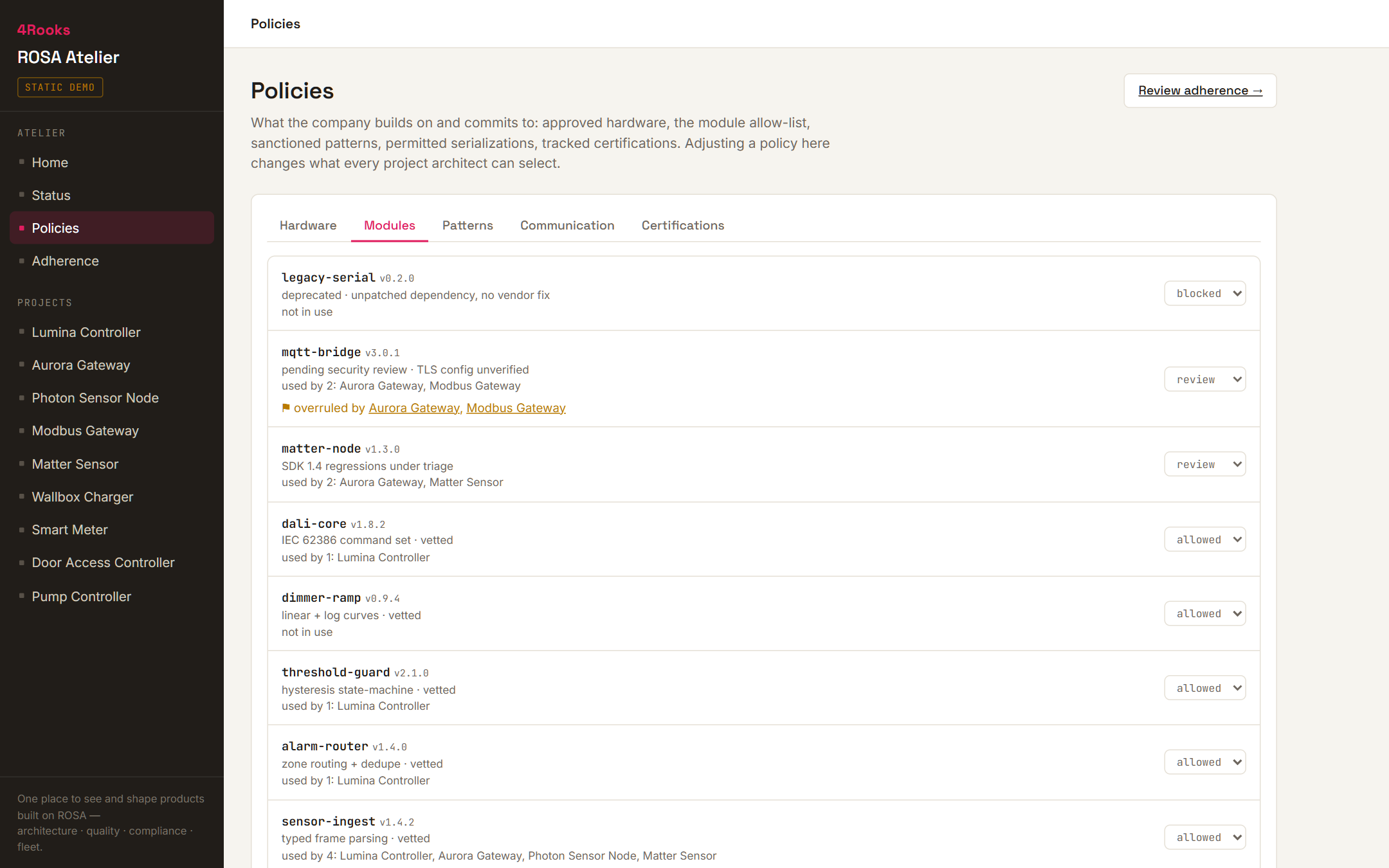
Core Modules provide the foundational services embedded systems commonly need. They are configured in your system file and expose their functionality through Interconnect like everything else — no special integration required.

  • Connectivity: Matter, Thread, KNX-IoT, BLE Mesh, Wi-Fi
  • OTA updates and fleet management
  • System health: watchdogs, diagnostics, logging
  • HTTP client, GUI, speech, and more

ROSA Atelier

The development workflow embedded teams rarely have.

Atelier is the toolchain that surrounds the ROSA runtime. Built-in testing, validation, observability, and AI integration — the infrastructure modern software development takes for granted, for embedded.

Instant setup

A pre-configured Docker devcontainer with all build tools, compilers, and dependencies at the right versions. VSCode integration out of the box. A new developer is building and flashing on day one.

Testing and validation

Hardware-in-the-loop testing infrastructure and automated architecture validation at build time. Catch structural violations before they reach hardware, and validate behaviour on real hardware when it matters.

AI integration

Atelier is built with AI-assisted development in mind. Whether you are exploring AI-generated starting points, on-device inference, or AI-assisted code review — the toolchain has a place for it.

Ready to see it in your codebase?

We start from your existing setup. First conversation is 30 minutes, no commitment.

Talk to us →